
What players say
16 Greens Mini Golf Online delivers a polished mini golf experience directly in your browser. The 16 holes each present a fresh layout, encouraging careful aim and power control. The pass-and-play multiplayer for up to four players is a nice touch for family or friends. The game loads quickly, runs smoothly, and requires no registration. It is a calm, enjoyable way to pass time without pressure.
About this game
Game Introduction
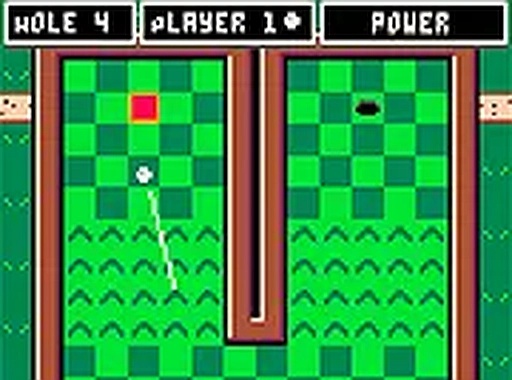
16 Greens Mini Golf Online brings the classic mini golf experience directly to your web browser. This free online game features 16 distinct holes, each with its own layout and challenge. Players control the power and direction of each shot using their mouse, with the goal of completing each hole in as few strokes as possible. The game is designed for players of all ages, offering a calm and enjoyable way to pass the time. It loads quickly and runs smoothly on most desktop browsers, requiring no downloads or installations. The core objective is to sink the ball into the hole on each green, progressing through the course one hole at a time. The game respects your time and attention, providing a straightforward and relaxing experience. Whether you are a seasoned mini golf enthusiast or a newcomer, the simple mechanics and varied layouts make each round engaging. The game emphasizes precision and patience over speed, allowing players to focus on their technique. With no registration required, you can start playing immediately and enjoy the full course at your own pace.
How to Play
To play 16 Greens, players aim the golf club by moving their mouse cursor across the screen. Clicking and holding the mouse button builds power for the shot; the longer you hold, the stronger the hit. Releasing the button sends the ball rolling toward the hole. Each hole must be finished to unlock the next one, encouraging players to complete the course in order. In solo mode, you play against the course itself, trying to achieve the lowest score. In multiplayer mode, up to four players take turns, passing the mouse or keyboard after each turn. The game tracks each player's score, and the player with the lowest total at the end wins. The controls are intuitive, making it easy for anyone to pick up and play without a lengthy tutorial.
Game Features
16 Greens includes 16 unique holes to complete, each offering a different layout and challenge. The game offers solo play and a pass-and-play mode for up to four players, making it suitable for both individual practice and group fun. Controls are simple: aim with the mouse and click to set power. The game is free to play directly in your browser, with no registration or download required. A full screen option is available for a more focused view. The game works on desktop computers with modern browsers, ensuring smooth performance. These features combine to create an accessible and enjoyable mini golf experience that can be enjoyed in short sessions or longer play periods.
Tips for Success
Take your time to line up each shot carefully before committing. Observe the layout of each hole to identify slopes and obstacles that may affect the ball's path. Practice controlling your shot power to avoid overshooting the hole. Learn how the ball reacts to different surfaces and angles. Play each hole multiple times to improve your score and develop consistency. In multiplayer, stay calm and focus on your own game rather than comparing to others. Consistency often beats risky shots, so aim for steady progress. Enjoy the relaxing pace and challenge yourself to beat your personal best.






Player comments
Sign in to comment
You must be logged in before posting a review or rating.
No account? Create one
No comments yet. Be the first to comment!