
What players say
Andy's Golf Arcade Sports Challenge delivers a clean, no-fuss golf experience. The mouse controls are intuitive, and the full screen mode helps you focus. With multiple courses and a clear scoring system, it offers a satisfying challenge for players of all ages. It is free, requires no downloads, and is ideal for casual gaming sessions.
About this game
Game Introduction
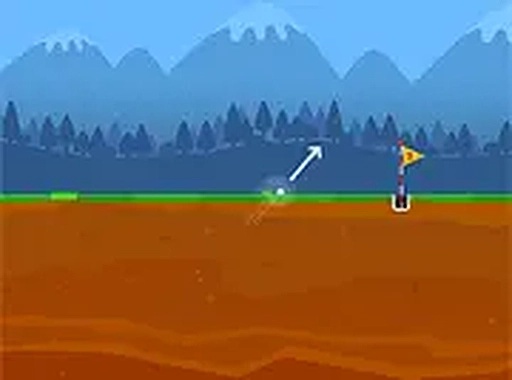
Andy's Golf Arcade Sports Challenge is a straightforward online golf game that invites players to score an ace on every course. Designed for desktop browsers, it offers a clean, no-fuss experience. Each course presents unique obstacles and distances, testing your aim and power control. The game is free to play and requires no downloads or sign-ups. Full screen mode lets you focus entirely on your swing. Whether you have a few minutes or want a longer session, Andy's Golf Arcade Sports Challenge provides a lighthearted challenge that is easy to pick up and enjoy. The goal is simple: get the ball into the hole in as few strokes as possible. With multiple courses to explore, you can keep improving your performance and aim for that perfect shot.
How to Play
To play Andy's Golf Arcade Sports Challenge, use your mouse on a desktop computer. Click and drag to set the direction of your shot. The further you drag, the more power you apply. Release the mouse button to swing. The ball will travel along the chosen path. Each hole has a par, and your goal is to complete it in fewer strokes. Adjust your aim based on the terrain and obstacles. You can play in full screen by clicking the full screen button for a more immersive view. The game tracks your strokes per hole, encouraging you to beat your previous score. There are no complex rules or timers. Just aim, shoot, and try to achieve a hole in one. It is suitable for all ages and skill levels.
Game Features
Game features include: free to play with no ads interrupting gameplay. Desktop-friendly design with simple mouse controls. Full screen mode for an immersive experience. Multiple courses with varying difficulty. Tracks your performance to encourage improvement. No registration or download required. Family-friendly content suitable for all ages. Easy to learn but offers a satisfying challenge.
Tips for Success
To improve your game, practice adjusting your aim for different terrains and obstacles. Focus on controlling the power of your shot by dragging the mouse carefully—too much power can overshoot the hole. Pay attention to the par for each hole and try to beat it by planning your shots. Replay courses to learn their layouts and refine your strategy. Taking your time with each swing can help you achieve a lower score over time.











Player comments
Sign in to comment
You must be logged in before posting a review or rating.
No account? Create one
No comments yet. Be the first to comment!