
What players say
Digital Art Studio succeeds in providing a genuinely relaxing experience. The image selection offers a good balance between simple and complex, so there is always something new to try. The controls are responsive and easy to learn, making it accessible for all ages. I appreciate the lack of timers or scores, which allows for a truly stress-free creative session. The color palette is extensive enough to encourage experimentation. While it does not offer advanced features like layers or filters, its simplicity is its strength. This is a solid choice for anyone seeking a peaceful digital art activity.
About this game
Creative Freedom at Your Fingertips
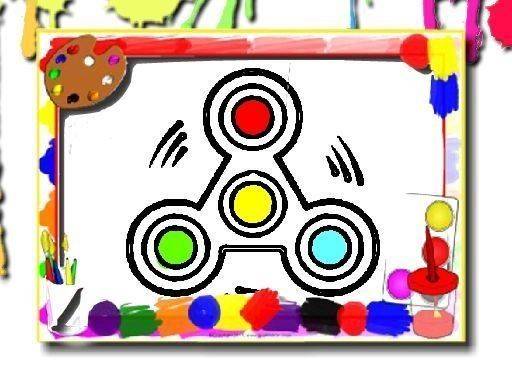
Digital Art Studio provides a straightforward coloring experience. After selecting an image from the available collection, you pick a color from the palette and apply it to any area. The color fills the selected region smoothly, allowing for precise work. You can switch colors as often as you like, adding layers and details to your picture. The controls are designed to be intuitive, so even first-time players can start creating immediately.
Image Variety and Complexity
The game includes a range of images, from simple shapes suitable for young children to more elaborate designs that offer a satisfying challenge for older players. This variety ensures that everyone can find something that matches their mood and skill level. Whether you prefer large, open areas for quick coloring or intricate patterns that require patience, the selection supports both approaches.
Relaxed Pacing and No Pressure
A key aspect of Digital Art Studio is the complete absence of time constraints or scoring systems. You can pause at any moment, take a break, and return later without losing progress. This design encourages a calm, meditative state where the act of coloring becomes a way to unwind. There is no right or wrong way to complete a picture, so experimentation is always welcome.
Color Palette and Tools
The color palette offers a broad spectrum of hues, allowing for realistic or imaginative color schemes. You can mix and match to create unique combinations. The brush tool is simple to use, and there is an undo function to correct any mistakes. This toolset gives you full control over the final look of your artwork without any complexity.
Sharing and Personal Enjoyment
Once you finish a piece, you can save it or share it with others. This feature adds a social dimension, making it easy to show your creations to friends and family. However, the primary focus remains on personal enjoyment and the relaxing process of bringing an image to life through color.








Player comments
Sign in to comment
You must be logged in before posting a review or rating.
No account? Create one
No comments yet. Be the first to comment!