
What players say
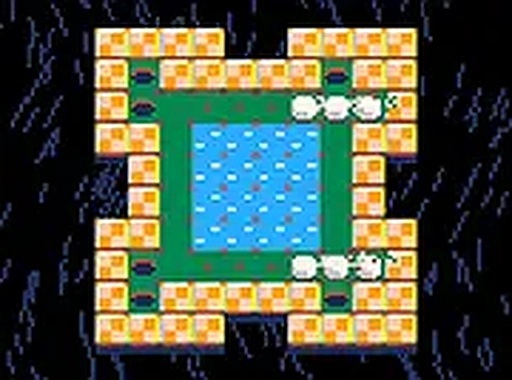
Mini Golf Puzzle Arcade offers a delightful mix of puzzle-solving and golf. The retro visuals are appealing, and the obstacles like water, sand, and rocks add depth to each level. Controls are simple and responsive. The game is free and perfect for casual players looking for a mental challenge without time pressure.
About this game
Game Introduction
Mini Golf Puzzle Arcade is a retro-style arcade game that combines puzzle-solving with golf mechanics. The core objective is to guide one or more balls into all the holes on each level. Players must plan their shots carefully, as the layout can present unexpected challenges. If you get stuck, simply reset the level and try a different approach. Not every ball needs to reach a hole, and obstacles like water and sand traps can either help or hinder your progress. Rocks cannot go into holes but can be used to redirect balls. This free game offers a charming and engaging experience for players of all ages.
How to Play
To play Mini Golf Puzzle Arcade, use your mouse or touchscreen to aim and shoot the balls. Each level presents a unique puzzle that requires thoughtful planning. Pay attention to the layout and use water and sand traps to bounce or slow down balls. Rocks can guide balls toward holes. If you make a mistake, reset the level and try again. The game is easy to learn but offers increasingly tricky puzzles that keep you engaged.
Game Features
Retro arcade style visuals. Tricky puzzles that require strategic thinking. Obstacles like water, sand, and rocks that can be used to your advantage. Simple controls with mouse or touchscreen. Free to play with no downloads required.
Tips for Success
Take your time to study each level before making your first shot. Use obstacles like water and sand to your advantage—water can help bounce balls, while sand slows them down. Rocks can be used to redirect balls toward holes. If a strategy isn't working, reset the level and try a different approach. Practice regularly to improve your planning skills.





Player comments
Sign in to comment
You must be logged in before posting a review or rating.
No account? Create one
No comments yet. Be the first to comment!